
Blinkit: Groceries & more
BlinkitFood & Drink
4.82.33K Reviews
- Version
- 18.19.0
- Installs
- 100.00M
- Age Rating
- Everyone
Screenshots
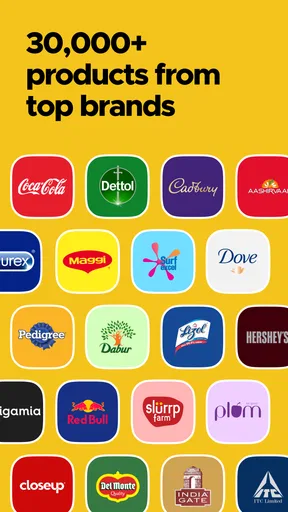
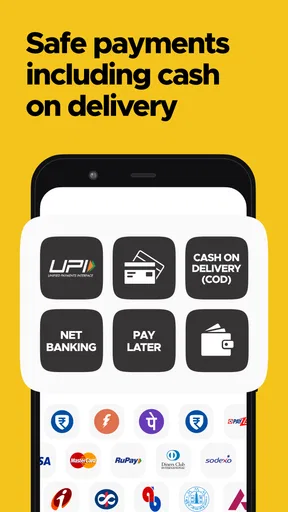
Our Review of Blinkit: Groceries & more
 Analysis by Appyee
I’ve found the most useful way to think about Blinkit is as a backup for everyday shopping, not a replacement for every grocery run. When a few essentials are missing or I need something without leaving home, ordering through my phone can be much easier than making a separate trip. The app, developed by Blinkit, is free to download and sits in the Food & Drink category. Its broad range is appealing, but the experience still depends on choosing suitable items, checking the order carefully, and having delivery available where you are.
Before placing an order, check the basics
On a first visit, I’d start by making sure the app is set up for the address where I actually want a delivery. A home address and a workplace address can lead to very different shopping plans, so it’s worth checking the delivery location before spending time filling a basket. If an item seems unavailable, I would first confirm the selected location rather than assume the product has disappeared from the app altogether.
I’d also take a moment to explore the categories before relying on search alone. A quick search is convenient, but product names can vary: the item I call one thing may appear under a familiar brand, a broader description, or a different spelling. Browsing the relevant section can help when a search comes up empty, and it gives me a better sense of the kinds of groceries and household needs I can bundle together.
For produce, I’d be especially deliberate. A photo and product description help with selection, but ordering fruit and vegetables through a screen is not the same as choosing each piece in person. If I need a particular size, ripeness, or quantity for a recipe, I’m more comfortable buying it face to face. For routine ingredients where a little variation is acceptable, doorstep ordering is a much easier trade-off.
Where the shopping flow can trip you up
The fastest way to make a quick order less useful is to treat the cart as a vague reminder rather than a final checklist. Before checkout, I’d scan the whole basket and confirm quantities, variants, and whether I’ve missed a small but essential ingredient. This is particularly helpful for a recipe: having most of the ingredients delivered doesn’t solve much if the one item that holds the dish together is missing.
Recommendations for complementary products can be handy when they fill a real gap, but I wouldn’t let them make the shopping decision for me. A suggested snack or pantry item can turn a short essentials order into an impulse basket. I use suggestions as prompts, then ask whether I would have added the item without seeing it. That simple pause keeps the app convenient without letting convenience quietly reshape my list.
It also helps to separate urgent needs from flexible ones. If I need something for dinner, I focus on that item and the ingredients that depend on it. If I’m replenishing snacks or household staples, I can take more time comparing what appears in the app. That distinction makes the ordering process less stressful and makes it easier to decide whether a delivery app is the right route for this particular shop.
Recovering when an order is not going to plan
If the app seems slow or a screen does not respond, I would avoid tapping the same checkout control repeatedly. First, I’d wait a moment and check whether the basket or order status has changed. Repeating an action without checking can make it harder to tell what has already gone through. If the order has not progressed, closing and reopening the app or checking the connection are sensible, general first steps before trying again.
When tracking does not appear to update, I would distinguish between a display that is temporarily behind and an order that has actually changed. Refreshing the view and checking again after a short pause is more useful than immediately placing another order. If the status remains confusing, the app’s available help or order-support route is a better next step than guessing; keep the order details handy so you can explain what you see clearly.
For an item that is missing, incorrect, or not in the condition I expected, I’d note exactly what happened while the order is still fresh in my mind. The order record and any relevant details make it easier to describe the issue. I wouldn’t assume that every problem has the same remedy, but reporting a specific issue through the appropriate in-app route is more practical than simply repeating the order and hoping for a different result.
When the problem may be outside the app
Not every delay or unavailable item points to an app fault. Delivery depends on the selected area and what is available to order at that time, while a weak connection can also make pages or status updates appear stuck. Before reinstalling or changing settings, I’d check the network, confirm the delivery address, and try the relevant screen again. These quick checks can save time when the underlying issue is temporary.
There is a broader limitation too: a delivery app cannot make every shopping preference easy to judge through a screen. For a precise choice of fresh produce, a larger planned shop, or a product I want to inspect before buying, a physical supermarket may suit me better. Blinkit makes more sense when saving a trip matters more than choosing every item personally.
That balance is important if you are comparing it with a regular supermarket visit or another delivery option. A store gives you direct control over selection and lets you combine shopping with errands, while an app is more convenient for a focused list delivered to your door. I would choose based on the job: a forgotten ingredient or a few basics points me toward ordering; a careful weekly shop may still be easier in person.
What’s Blinkit All About?
Alright, picture this: It's late, your fridge is as empty as it gets, and the thought of heading out to the grocery store is just... ugh. Enter Blinkit! This nifty app promises to deliver groceries and more right to your doorstep, swiftly and effortlessly. But does it really live up to the hype?
First Impressions and Setup
Setting up Blinkit was a breeze. All you need is your phone number, and you’re good to go. The interface is clean and intuitive, which I absolutely love. No one wants to wrestle with a confusing app when all you want is some emergency ice cream, right?
The home screen showcases a variety of categories—fruits, vegetables, snacks, and even personal care items. I was impressed by the range of products available. Seriously, it’s like having a mini supermarket in your palm.
Shopping Experience
The search function is super handy. Just type what you need, and boom, it’s there. I tested it with some tricky items, and Blinkit delivered—literally and metaphorically. Adding items to your cart is as simple as tapping a button, and the app even suggests complementary products. It's like having a personal shopping assistant!
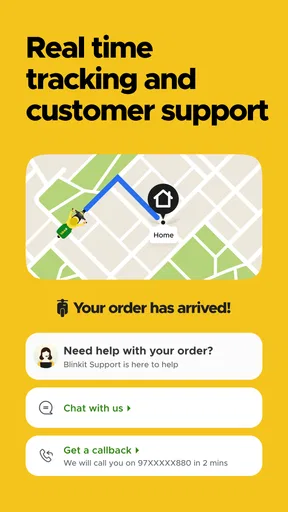
One feature I found pretty cool was the real-time tracking. Once you place an order, you can see exactly where your delivery is. It's reassuring to know your groceries are on their way, instead of just twiddling thumbs and hoping for the best.
Delivery and Performance
Here’s where Blinkit shines. The delivery was fast, like really fast. I ordered in the afternoon, and in just a blink (pun intended), my groceries were at my doorstep. The delivery personnel were courteous, and everything was neatly packed. No bruised apples here!
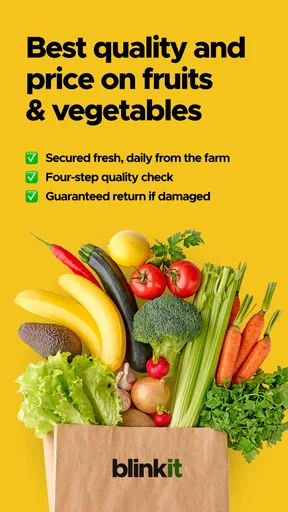
What surprised me was the quality of the products. Often, quick delivery can mean compromised quality, but not with Blinkit. Everything was fresh, and the items matched the app descriptions perfectly.
Extra Features
Blinkit doesn’t stop at groceries. They offer a bunch of other services like ordering from local bakeries or getting essentials from nearby pharmacies. It’s like the Swiss army knife of delivery apps.
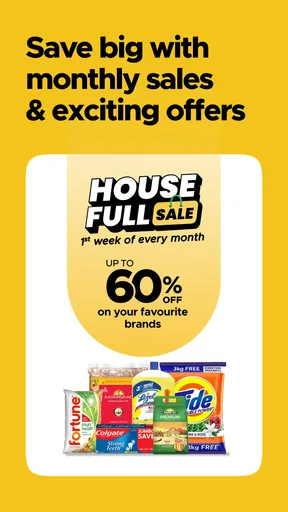
For those who love a good deal, the app frequently updates with discounts and offers. Who doesn’t love saving a buck or two?
Is Blinkit Worth It?
In one word, yes. Blinkit is a lifesaver for anyone who wants to skip the grocery runs and still get quality products delivered quickly. It’s efficient, reliable, and surprisingly comprehensive in its offerings. Whether you’re stuck at home or just lazy (no judgment here!), this app has got your back.
With its user-friendly interface, speedy delivery, and wide range of products, Blinkit is definitely worth checking out. So go ahead, give it a whirl and let it make your life a tad bit easier.
A realistic way to use it day to day
Imagine I’m halfway through making dinner and realize I’m short on a basic ingredient. Rather than abandoning the meal or making a dedicated trip, I can check whether it is available, add any other genuinely needed staples, and follow the order while getting on with the rest of the evening. That is where the app feels most valuable: it solves a small, immediate problem without requiring a full shopping expedition.
For a shared household, I’d make the cart serve as a deliberate top-up rather than an unplanned weekly shop. Before ordering, I’d check cupboards and the fridge, then group the items that are truly missing. This reduces duplicate purchases and makes the delivery useful. It also helps to agree on substitutions or acceptable alternatives in advance when another person is handling the order, especially for ingredients where brand or type matters.
It can also suit someone who has limited time to step away from home, or who is managing a busy day and would rather use a short break to assemble a small order. It is less compelling when the trip itself is easy, the list is long, or browsing the shelves is part of how I choose quality and value. Convenience is the point, but it is not automatically the best choice for every basket.
How it compares with other ways to shop
Against a conventional supermarket visit, Blinkit trades hands-on selection and the ability to inspect items for ordering from a screen and receiving the basket at home. A shop is often better when I need to compare produce carefully, buy a broad range of items, or combine groceries with other errands. Blinkit is better suited to a focused top-up when the time and effort of getting to a store outweigh the benefit of choosing everything in person.
Compared with planning a larger grocery delivery, a quick-commerce-style app is most useful for immediacy and smaller needs, not necessarily for building a carefully budgeted household plan. I would still compare the final basket and any applicable charges shown in the app before placing an order, rather than assuming a small order is automatically the best value. If cost per item is my main concern, checking a regular shop or another available option may be the wiser move.
The app’s range beyond groceries can make one order feel more useful when I need different everyday essentials, but breadth does not remove the need to verify each selection. I’d search carefully, read the item details, and check the cart before confirming. That extra attention matters most when a product has several similar versions or when the exact size and type affect what I’m cooking or buying it for.
Who is likely to get the most from it?
I’d recommend trying it if you often notice small gaps at inconvenient times, prefer doorstep delivery for routine essentials, or want to avoid a separate journey for a short list. It can also be a practical option when your day is already full and a quick top-up is more valuable than a leisurely browse. Its large audience is reflected in an average rating of 4.7 from around 7.5 million ratings, though that broad approval cannot guarantee that every local order will match my own experience.
It may be less suitable if you want to personally choose every piece of produce, routinely buy a large household shop, or prefer to compare prices across stores before deciding. Someone who shops mainly by a strict budget may find it easier to plan a list and compare options elsewhere. I would also avoid relying on any delivery app as the only plan for a time-critical need; availability and the delivery experience can vary, so a nearby shop remains a sensible fallback.
For a first order, I’d keep the basket simple: choose familiar products, double-check the address and quantities, and pay attention to the order status after checkout. That makes it easier to learn how the process works without adding uncertainty from unusual items or a complicated list. Once comfortable, I’d use search for known products and browse categories when I’m open to alternatives.
Availability, compatibility, and the final call
Blinkit has been available since December 17, 2014, and its current version is 17.99.1. The app is listed for devices running Android 7.0 or later, and its content rating is Everyone. It has passed 100 million installs, is free to download, and has 2.3 thousand written reviews. Those figures show that it is a widely used service, but the practical question for me is still whether it supports the location and shopping needs I have at the moment.
My verdict is positive, with a clear boundary: I see Blinkit as a handy way to handle a targeted grocery or essentials order, not a universal substitute for planning, price comparison, or choosing fresh food myself. If the convenience of skipping a trip matters more than inspecting every item, it is worth trying. If careful selection and a large, economical shop matter most, I’d stick with a supermarket visit or compare other local options. Used for the right kind of errand, it can make an ordinary busy day noticeably easier.
Verdict
Strengths of Blinkit: Groceries & more
- User-friendly interface for easy navigation.
- Wide variety of products available.
- Fast delivery service in many areas.
- Real-time order tracking feature.
- Secure payment options for peace of mind.
Limitations of Blinkit: Groceries & more
- Limited delivery areas in rural locations.
- Occasional app crashes reported by users.
- Some products may be out of stock.
- Customer service response can be slow.
- Higher prices compared to local stores.
Similar Picks in This Category
View All
Rappi: Food Delivery, Grocery
Rappi, Inc - Delivery3.5

McDonald’s: Cupons e Delivery
Arcos Dorados4.3

Swiggy: Food Instamart Dineout
Swiggy4.7

foodpanda: food & groceries
Foodpanda GmbH a subsidiary of Delivery Hero SE4.0

Zomato: Food Delivery & Dining
Zomato4.7

Uber Eats: Food and Grocery
Uber Technologies, Inc.4.6
Frequently Asked Questions
What is Blinkit and how does it work?
Blinkit is a convenient grocery delivery app that allows users to order groceries and other essentials directly from their smartphones. It works by partnering with local stores and delivery services to bring items to your doorstep in a timely manner. Users simply browse through categories, add items to their cart, and choose a delivery time that suits them.
Is Blinkit available in my area?
Blinkit is expanding rapidly, but its availability can vary by location. To check if it’s available in your area, download the app and enter your address. The app will inform you if services are currently available, and you can also sign up for notifications if they plan to expand to your region soon.
What types of products can I order from Blinkit?
Blinkit offers a wide range of products, including fresh produce, dairy, packaged foods, household essentials, personal care items, and much more. The selection may vary depending on your location and the stores partnered with Blinkit in your area, but the app aims to provide a comprehensive shopping experience.
How does Blinkit ensure the quality of products delivered?
Blinkit partners with trusted local stores to ensure that only high-quality products are delivered to customers. The app allows users to rate their delivery experience and product quality, which helps maintain high standards. Blinkit also has a customer service team to address any issues related to product quality or delivery.
What are the payment options available on Blinkit?
Blinkit provides multiple payment options to cater to different user preferences. You can pay through credit/debit cards, digital wallets, or opt for cash on delivery in certain areas. The app ensures secure payment processing, so you can shop with confidence knowing your financial information is protected.
